


Showing all 12 results
Our computer range focuses on LG laptops and monitors, including lightweight LG gram laptops, UltraGear gaming monitors, QHD displays, 4K UltraFine-style monitors, curved screens and OLED gaming displays. Customers can find factory seconds and carton-damaged options across selected models, with the full manufacturer warranty still included and the option to add an extra 2-year warranty for additional peace of mind. For more product information, you can view the official LG gram laptops, LG monitors and LG UltraGear gaming monitors pages.
The range is mainly focused on LG laptops and monitors, including LG gram laptops, 2-in-1 style laptops, QHD monitors, 4K displays, UltraGear gaming monitors, OLED gaming monitors and curved or ultrawide screens. Explore our shop to discover more.
LG gram laptops are popular with people who want a lightweight laptop for work, study, travel and everyday use. When comparing models, check the screen size, processor, RAM, storage, weight, battery life and whether you need touchscreen or 2-in-1 functionality. You can also compare product information through the official LG gram laptop range.
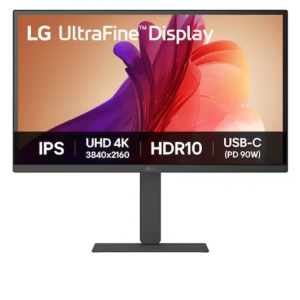
A QHD monitor gives you sharper detail than Full HD and is often a strong choice for office work, gaming and general use. A 4K monitor has even higher resolution, which can be useful for design work, spreadsheets, multitasking, streaming and sharper image quality. The better option depends on screen size, desk space, budget and how you plan to use it.
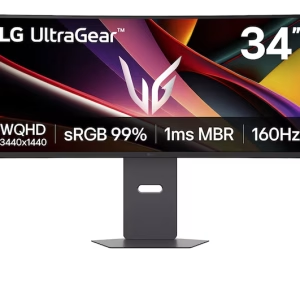
UltraGear monitors are designed with gaming in mind, often focusing on smoother motion, faster response times and higher refresh rates. They can also suit general use, streaming and multitasking, but they are especially useful if you play fast-moving games and want a more responsive display. You can learn more from the official LG UltraGear monitor range.
An OLED gaming monitor can offer excellent contrast, deep blacks and strong visual performance, which can be useful for gaming, movies and high-quality visuals. Before buying, check the screen size, resolution, refresh rate, ports, warranty, desk setup and whether the model suits how you use your computer.
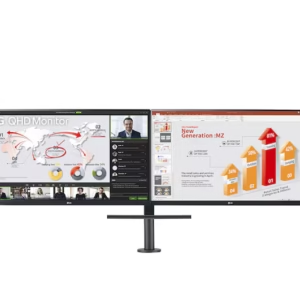
For most desks, a 27-inch monitor is a practical choice for work, study and gaming. Larger 32-inch, 34-inch or curved monitors can be better for multitasking, spreadsheets, creative work or replacing a dual-screen setup. Before choosing, check your desk depth, viewing distance and available space.
Check the laptop specifications carefully, including processor, RAM, storage, screen size, operating system, ports, charger and any condition notes. Factory seconds products still include the full manufacturer warranty, and an optional additional 2-year warranty is also available.
Check whether the damage is limited to the packaging or whether the screen, stand, frame, ports or accessories have been affected. For monitors, it is especially important to check the panel condition, included cables, stand, power supply, resolution and refresh rate. You can inspect available stock at a nearby store location.
Yes. Factory seconds and carton-damaged products still include the full manufacturer warranty. Customers can also choose an additional 2-year warranty for extra peace of mind. You can review the general warranty information. For broader consumer guidance, the ACCC also explains warranties and consumer rights in Australia.
Check whether the monitor includes the ports you need, such as HDMI, DisplayPort, USB-C, USB hub connections or headphone output. If you are connecting a laptop, docking station, gaming console or desktop PC, make sure the monitor supports the right connection type and refresh rate for your setup.
A curved monitor can feel more immersive and may be useful for wider screens, gaming or multitasking. A flat monitor may be more practical for standard office work, smaller desks or multi-monitor setups. The best choice depends on your screen size, viewing distance and how you use your workspace.
Clearance laptops and monitors may be priced lower because they are factory seconds, carton-damaged, discontinued models, display stock or supplier clearance items. Stock changes regularly, so it is worth checking the current computer products to compare available models and prices.
Energy use depends on the product type, screen size, brightness settings and how often it is used. For supported products, the official Energy Rating website can help compare energy efficiency and estimated use.
Old laptops, monitors and computer accessories should be recycled responsibly where possible. The Australian Government provides information on recycling computers and e-waste, and you can also search for nearby recycling options through Recycling Near You.
The right choice depends on whether you need the product for work, study, gaming, travel, design, streaming or general home use. You can compare the computer products range, visit a store location or contact the team before buying.



© 2026 Smart Electrical Outlet. | Terms & Conditions | Privacy Policy | All Rights Reserved | Website by SWE